Your trust, done right, start to finish.
Learn exactly how a private ecclesiastical trust works, fill in every document once, and download them ready to sign tonight. Then keep the whole trust safe and in order, in one place.
✓ Secure checkout by Square✓ Cancel any time✓ From $29 a month
Steward for $19 a month, locked in
Join during the sale and your price stays at $19 a month for as long as you're a member, instead of $29. Ends in .
Everything you need. Nothing you don't.
Four tools that take you from "what is a trust?" to a signed, funded trust with its records in order.
The full course
All 13 modules, from the foundations of a private trust to forming, funding, Minutes and the trustee's duties, with a lesson for each step.
24 ready-to-sign documents
Declaration, Schedule A, Certificate of Trust, deeds, transfers, bank resolutions, Minutes and more. Enter your details once; every document fills in.
Saved to your account
Your trust is kept privately in your account, safe if your browser is cleared and there on any computer. Only you can see it.
Records in order
A log of every document you print, the trust binder in one file, and your signed, notarized copies kept with the trust.
Learn it step by step
Thirteen clear lessons walk you through what a private irrevocable trust is, who the parties are, how to read your Declaration, and how to form and fund the trust properly. Each lesson links straight to the document it explains.
- Written for stewards, not lawyers
- Drawn from the trustee's handbook
- Go at your own pace
Your documents, filled in and ready to sign
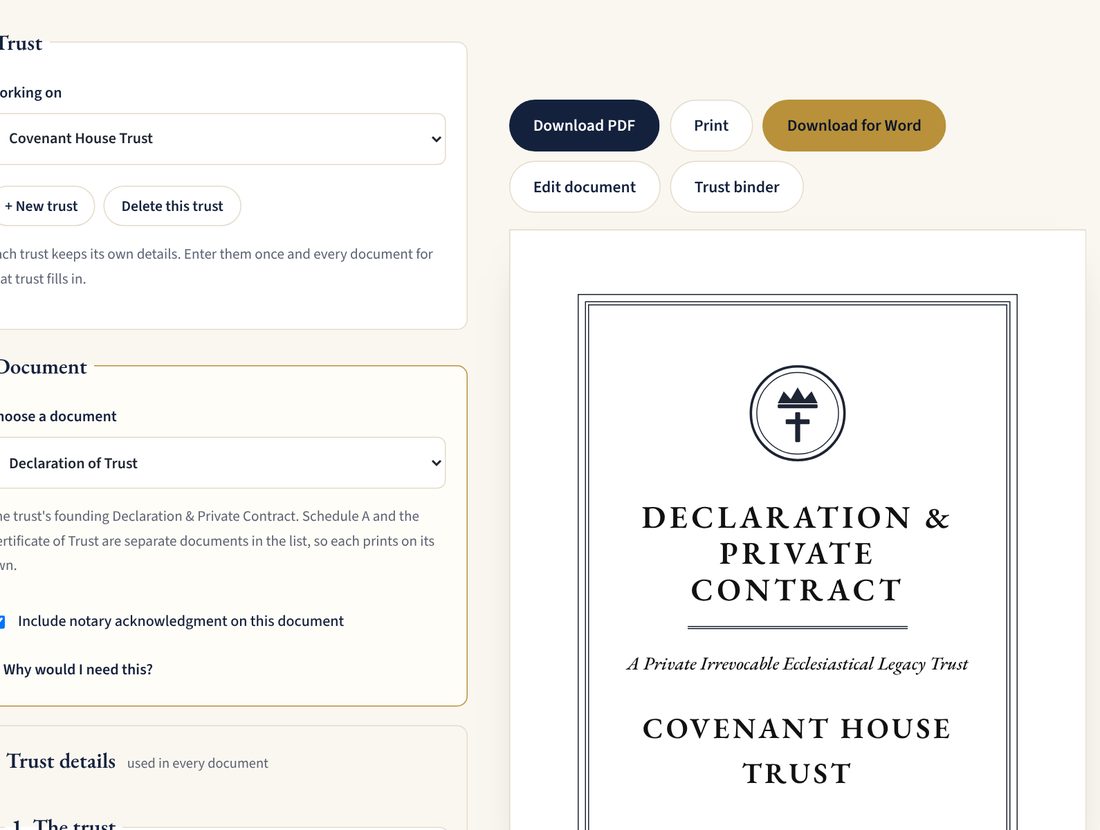
Type your trust's details once. The Trust Builder fills them into every document, with your seal, signature blocks and notary acknowledgment. Stewards download clean Word and PDF files to print, sign and keep.
- Clean PDF and editable Word files
- Edit any wording by hand
- Property you transfer is added to Schedule A
Your whole trust in one file
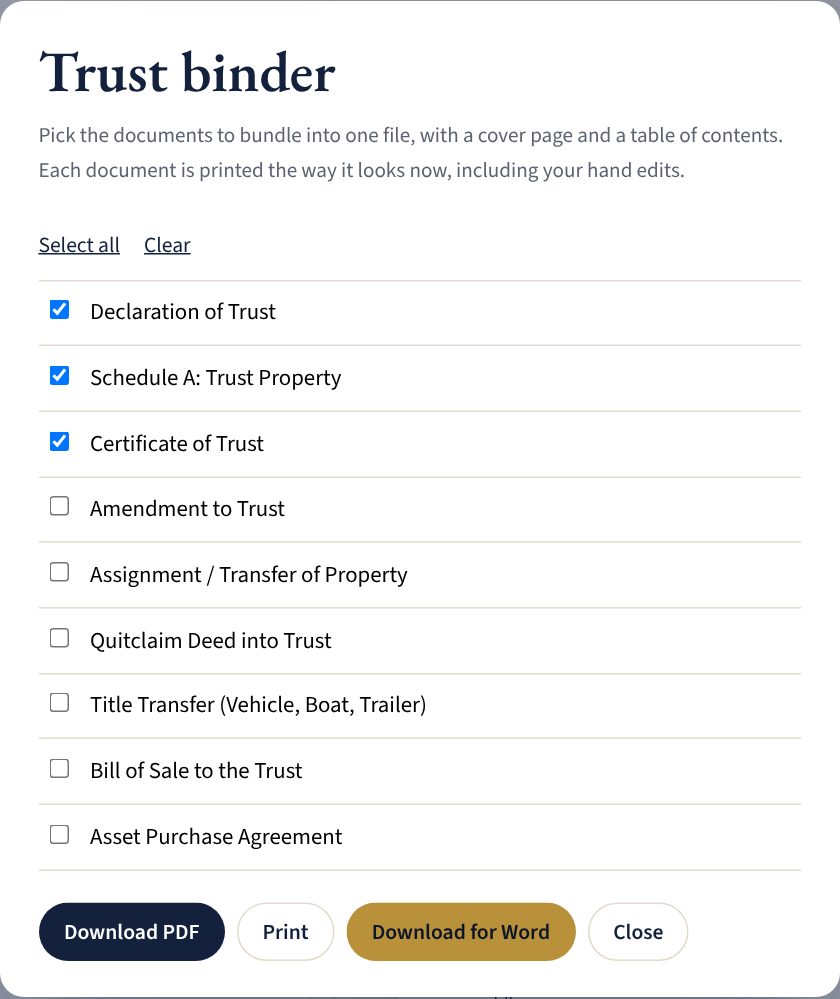
Choose the documents and download them as one binder, with a cover page and a table of contents. It's the copy you hand to a bank, keep in the safe, or give to a successor trustee.
- Cover page and contents
- Includes your hand edits
- PDF or Word
Doing it alone vs. doing it as a Steward
On your own
- Piecing together forms from the internet
- Retyping your trust's name on every page
- Guessing what goes in Minutes and Schedule A
- Papers scattered across drawers and inboxes
As a Steward
- One consistent set of 24 documents
- Enter details once; every document fills in
- A lesson for each step, linked to its document
- Every record and signed copy kept with the trust
“He that is faithful in that which is least is faithful also in much.”Luke 16:10
Unlocked in under five minutes
- Create your free accountJust your name, email and a password.
- Choose monthly or yearlyPay securely on Square's checkout page.
- Start buildingYou're sent straight back with everything unlocked.
One membership. Everything unlocked.
Visitor
- Module 1 of the trust course
- The FAQ
- Trust Builder preview, with watermarked downloads
Steward
Billed monthly. Cancel any time.
- The full trust course, all 13 modules
- 24 Trust Builder documents as clean Word and PDF files
- The trust binder, printing and the document log
- Your trust saved privately to your account (1 trust)
- Signed copies kept with the trust's records
Secure payment by Square. Cancel any time from your account; you keep access to the end of the period you paid for.
Before you join
What do I get the moment I join?
Everything unlocks right away: all 13 course modules, clean Word and PDF copies of every Trust Builder document, the trust binder, saving your trust to your account, and keeping signed copies with your records.
Can I try it before I pay?
Yes. Module 1 of the course is free, and you can fill in any document in the Trust Builder for free. Free downloads carry a PREVIEW watermark; Steward downloads are clean and ready to sign.
How does billing work?
Payment is handled securely by Square. You choose $29 a month or $290 a year (two months free). It renews automatically until you cancel. Square emails your receipt.
Can I cancel?
Any time, from your account page, in one click. You keep full access until the end of the period you paid for and are not charged again.
What happens to my trust if I cancel?
Your trust and its records stay in your account and in your browser. You can come back and rejoin whenever you like, and pick up where you left off.
What does "locked in" mean during a sale?
If you join while a sale is running, your price stays at the sale price for as long as you remain a member. If you cancel and rejoin later, the regular price applies.
How many trusts can I keep?
A Steward membership saves one trust to your account, with all of its documents, history and signed copies. If you need more, write to the trustees.
Is this legal advice?
No. The course and documents are offered for education and for your private use. They are not legal, tax or financial advice. For advice on your situation, speak with a qualified professional.
Something else? Write to the trustees.
Steward what has been entrusted to you.
Join today and have your trust's documents in hand, ready to sign, this week.